JC Radio Radar
Monitoring for radio stations

Every spot on air, timed and proven automatically

Stop spending days listening to recordings. JC Radio Radar listens to your station and tells you what aired, with proof in reports and audio at the same time.

For Windows · 3-day free trial · No card needed
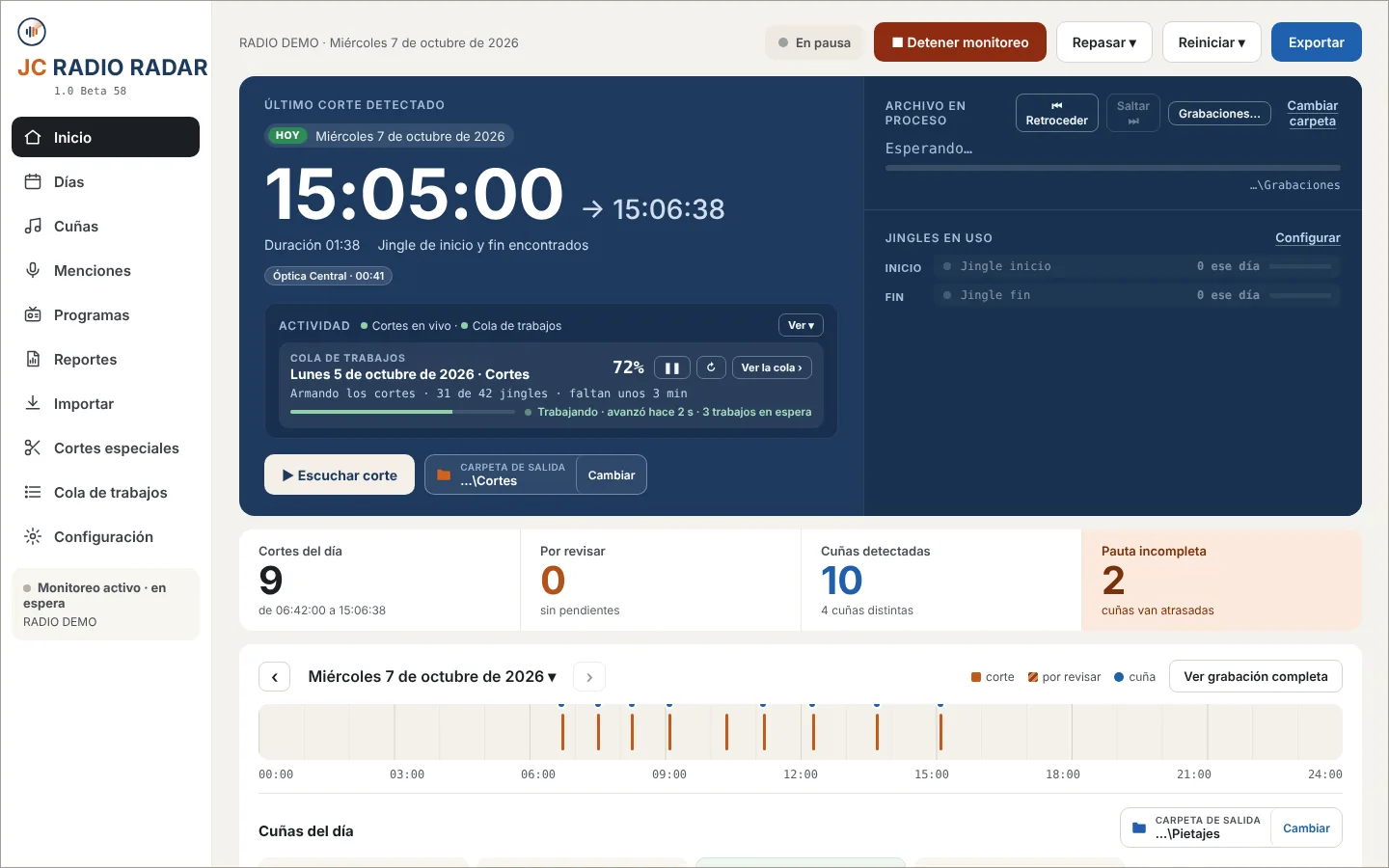
JC Radio Radar Home screen
Your audio stays at the stationIt all runs on your computer.
Secure card paymentVisa, Mastercard, Diners and Discover.
Protected accountsSecured by Cloudflare.

Stations already using it

Radio Centro101.3 FM · Guayaquil
La EstaciónOnline radio
The problem

Check the schedule in minutes, not days

Today someone listens to hours of tape and logs it by hand. If a spot is missed, you hear it from the client.

Without JC Radio Radar

  • Hours of listening
  • Everything logged by hand
  • No proof for the client
  • Live reads get lost

With JC Radio Radar

  • Every break, timed
  • Every spot, counted for you
  • Excel with audio proof
  • Every live read, found
<10 minA full day, analyzed
24/7Plug in the line, analyze live
90Spots in the Complete plan
3 daysFree, no card needed
Features

All your monitoring in one program

Tell it where your station records. JC Radio Radar does the rest.

Spot analyzer

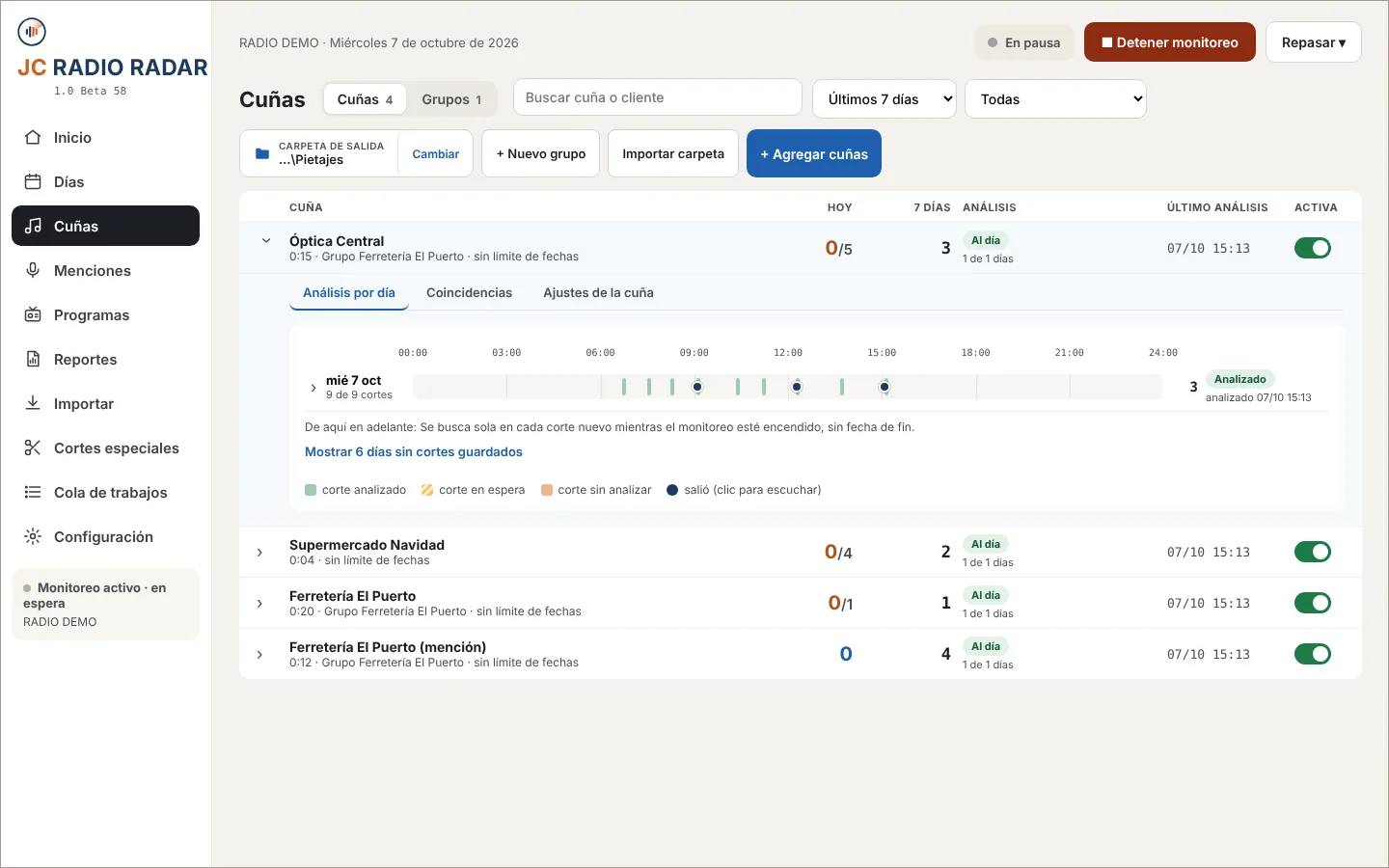
Was the schedule met? Know without listening

Load the spots and how many air per day. See who is complete and who is short.

  • Today's airings: 3/5
  • Any date, anytime
  • Which days are missing
Spot analyzer in JC Radio Radar
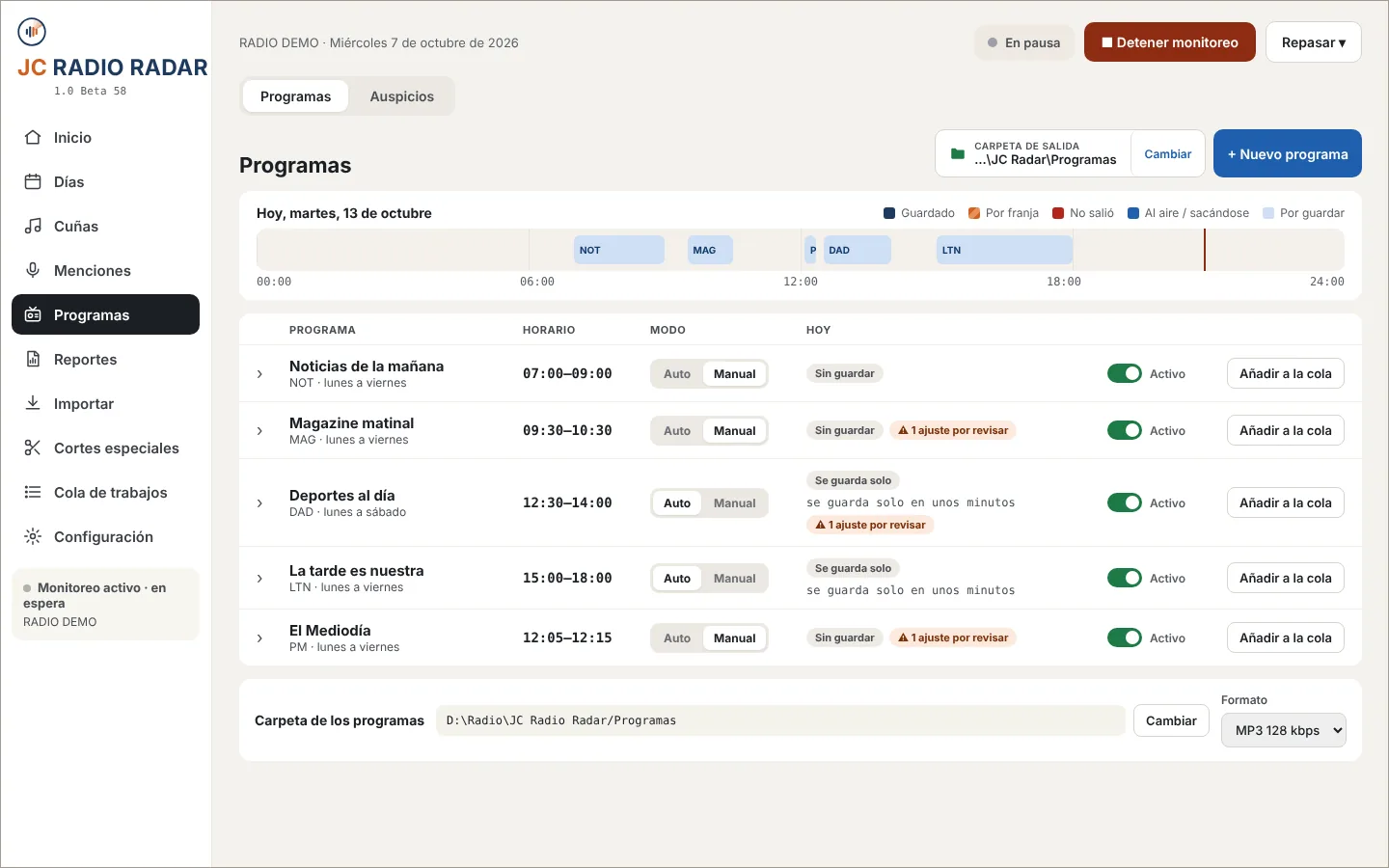
Shows

Every show, saved whole

It spots the opening and closing tags and saves the full show. Auto or manual, one tap.

  • All of today's shows on one line
  • If something fails, it tells you why
  • Sensitivity per show
Shows in JC Radio Radar
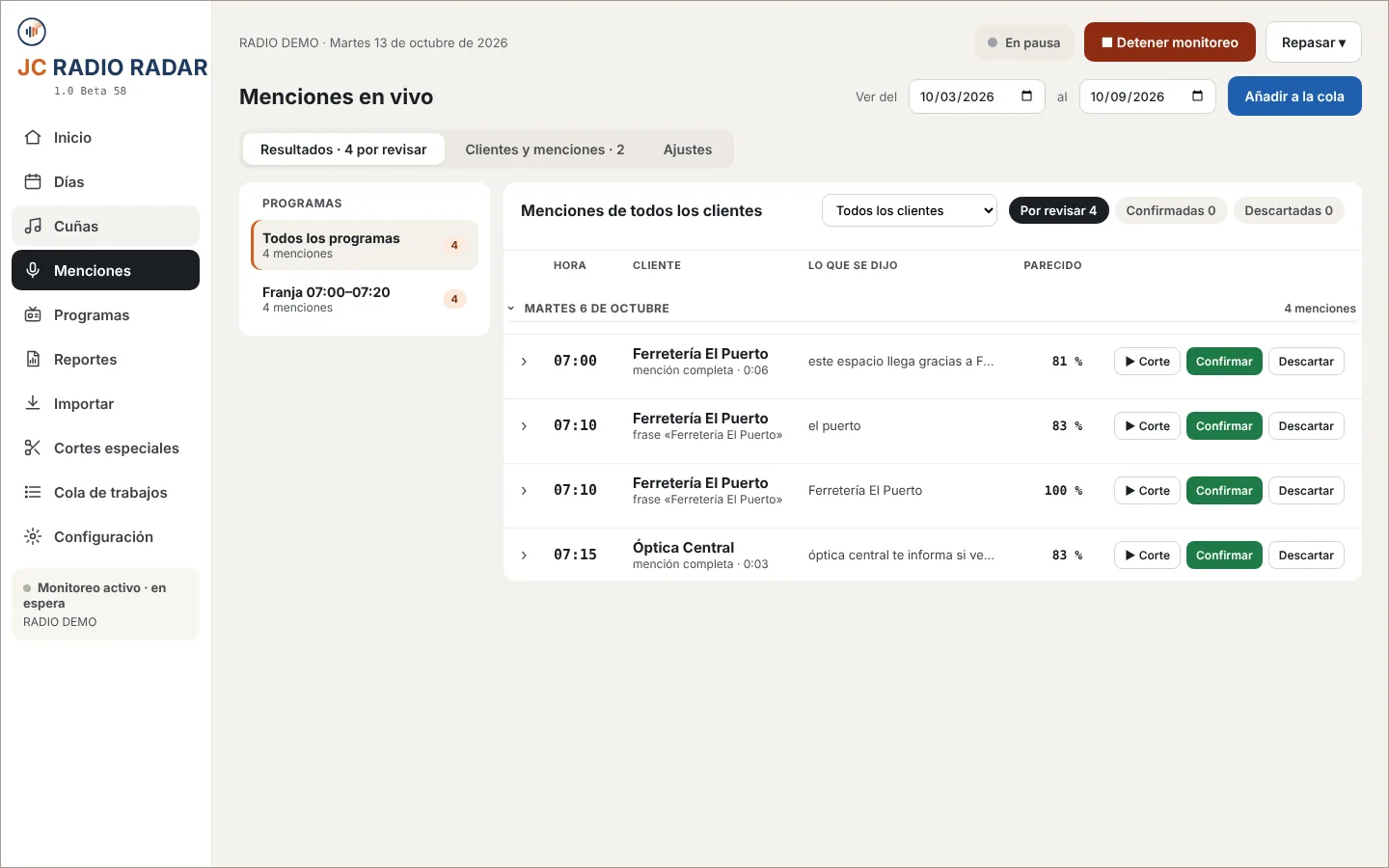
Live reads

What the host says counts too

It transcribes the air and finds every client mention. You listen and confirm.

  • The exact time of every read
  • How close it is to the script
  • It all stays on your computer
Live reads in JC Radio Radar
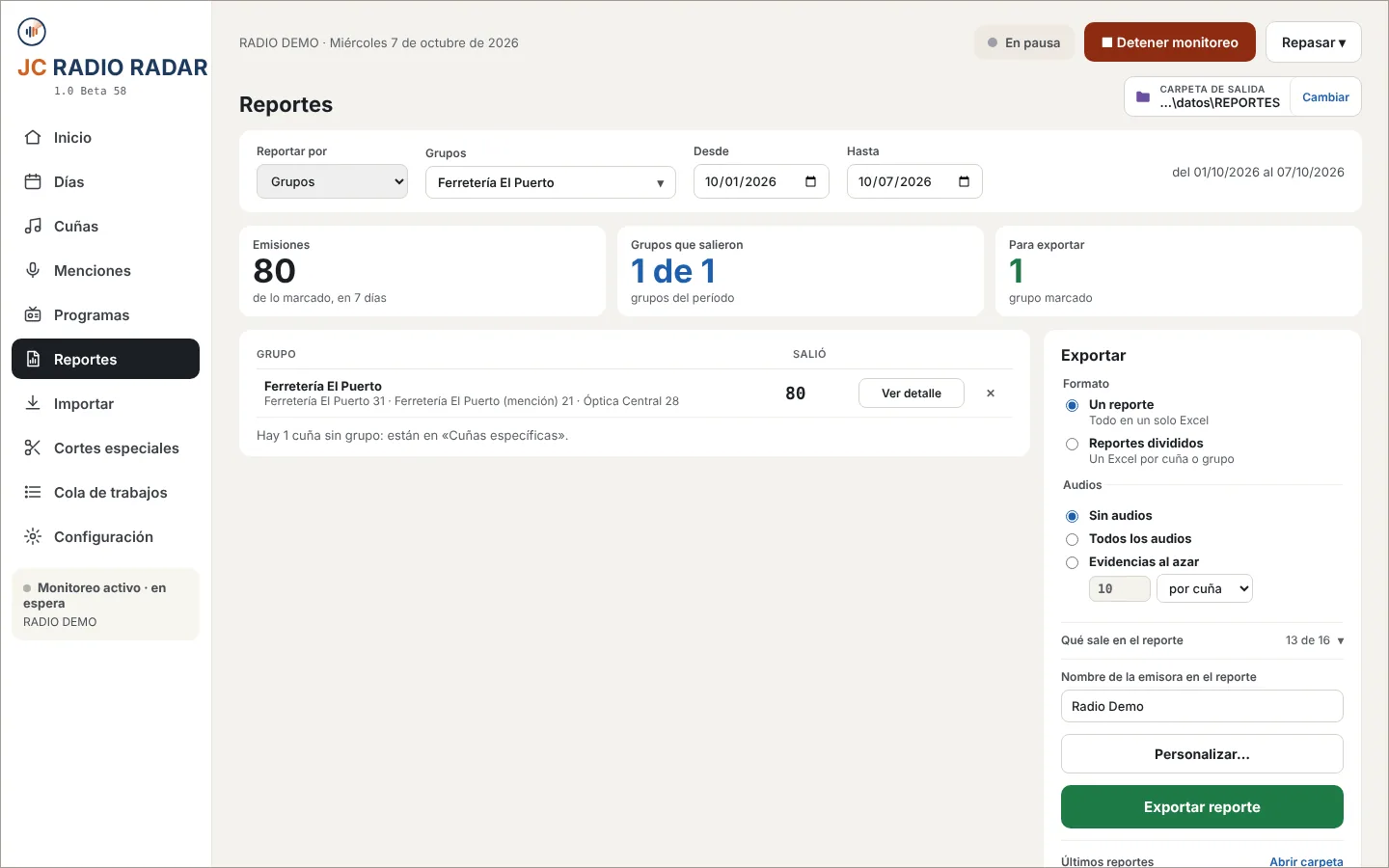
Reports

Proof ready for the client

Pick the dates and export to Excel. Add the audio if the client asks.

  • One file per client or all together
  • With room for signature and stamp
  • Today, yesterday, the month or any dates
Reports in JC Radio Radar
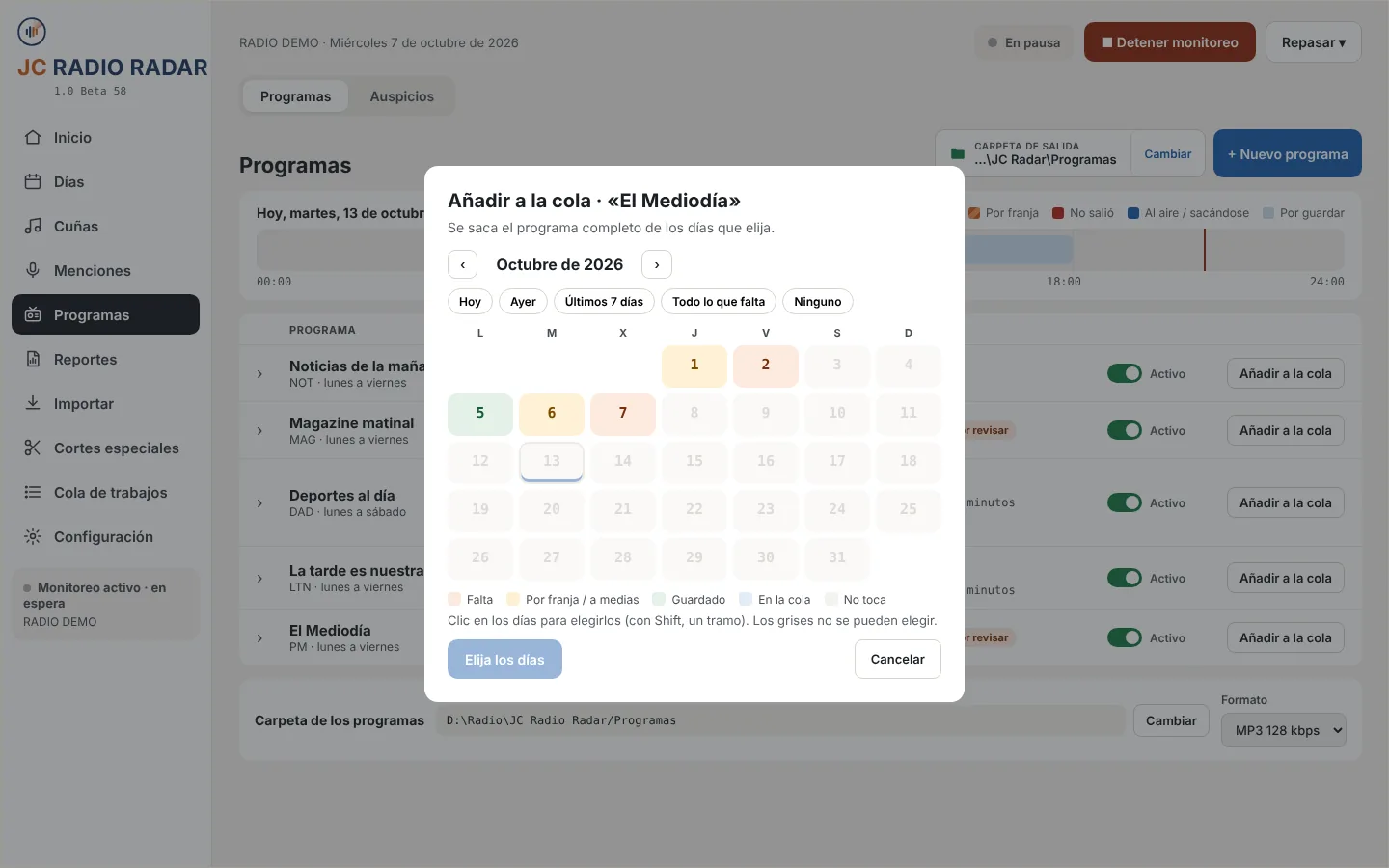
Past days

Check any day

Pick days on the calendar. They process while you work.

  • Colors show what is ready
  • Pause, prioritize or remove
  • Breaks, spots, shows and live reads
Past days in JC Radio Radar
How it works

Set it up once

Plug in the audio line or a folder of recordings

By cable to the computer, or the folder your station already records to.

Load jingles and spots

The break jingle, the spots and the sponsor tags.

Let it work

It analyzes every new recording. You see it all on Home.

Pricing

One plan per station

Start with 3 free days. Switch plans anytime.

Basic

Breaks and your main spots.

$30per month
per station

Up to 10 spots

Includes:

  • Automatic breaks, timed
  • Up to 10 spots vs. schedule
  • Excel reports
  • The full day in one file
Subscribe to Basic
Recommended

Analyzer

Your station's full schedule.

$50per month
per station

Up to 50 spots

Everything in Basic, plus:

  • Up to 50 spots
  • Analyze any date or folder
  • Proof with the audio of every airing
  • Full shows
Subscribe to Analyzer

Complete

Bill for live reads too.

$70per month
per station

Up to 90 spots

Everything in Analyzer, plus:

  • Up to 90 spots
  • Live reads, by client
  • Special cuts
Subscribe to Complete

Card or PayPal. Yearly: 12 months for 10. Prices in US dollars.

FAQ

What stations ask

Do I need internet?

No. It all runs on your computer. Only once, to install the speech engine.

Does it work with my logger?

Yes, if it records files to a folder. Or plug in the audio line and JC Radio Radar records it.

What after the 3 days?

Pick a plan, pay and get your code. Your files stay in your folders.

How do I pay?

In “My account”, by card or PayPal. See your paid-until date and copy your code.

Does my audio go online?

No. It all stays on your computer.

Can I change plans?

Yes, anytime. Just write to us.

Windows says “Windows protected your PC”?

That's normal. Click “More info” and “Run anyway”.

3-day free trial · no card needed

Try it at your station

3 free days from install. Then pick a plan.

Version 1.0 Beta 37. The program is in Spanish. If Windows warns you, click “More info” and “Run anyway”.